
Sending an email requires two mail servers. Not something people usually think about.
But in the background, there is one mail server for outgoing emails, and one server for incoming emails. when you send an email, you use an outgoing server, called SMTP. SMTP stands for Simple Mail Transfer Protocol.
Your mail client (Outlook, Gmail, Hotmail, Yahoo, Thunderbird, etc..) uses SMTP to send a message to the mail server. The mail server then uses SMTP to forward that message to the correct incoming mail server. IMAP and POP3 are examples of so-called incoming mail servers.
How cool would it be to have two mail boxes outside your house, one for sending out letters, and one for receiving letters.
Whenever you needed to send a letter to anyone, you’d put it in the mailbox marked Outgoing (that would be the SMTP mailbox), and it would be picked up by the mailman. Whenever the mailman came to deliver your post, he would put it in the mailbox marked Incoming (that would be the IMAP or POP mailbox). Get the idea of how email works now?
On your cell phone you’ve might noticed the SMTP settings for outgoing mail server.
Below is an image of how it look on my iPhone.
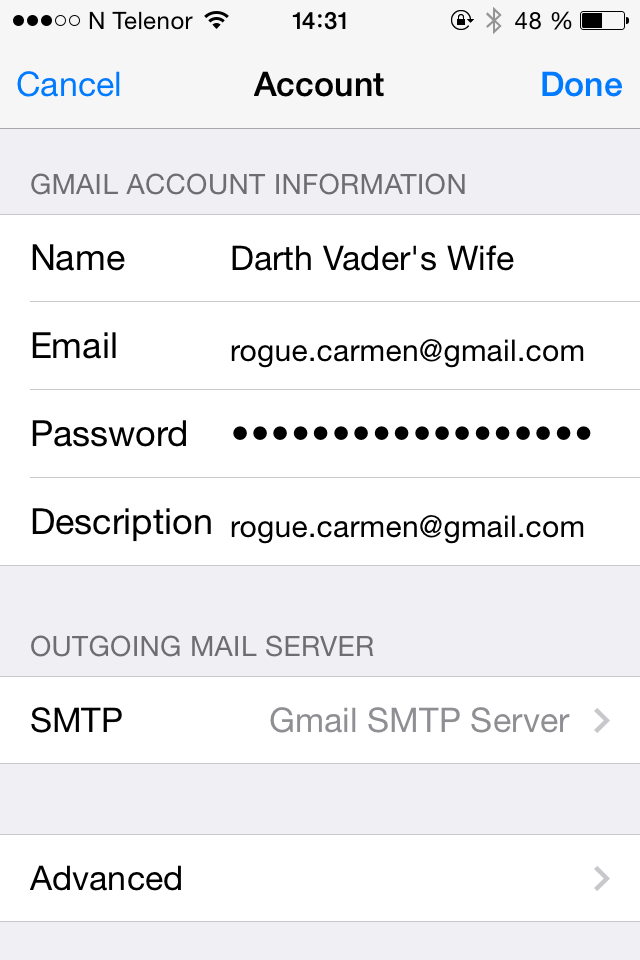
And if I press Advanced, I get the incoming settings, which here is IMAP.

What is the biggest difference between POP3 and IMAP?
POP3:
When you use POP3 your messages (emails) are stored on the email server once they come in here. When you check your email, the messages are downloaded to your computer and deleted from the email-server.
IMAP:
Internet Message Access Protocol, is a “newer” alternative for downloading emails. When you use IMAP your messages are saved on the mail server, but Gmail (or whatever mail client you use) downloads a copy of the message and the message is not deleted until you delete it on your mail account. So that is why you should use IMAP, because then your emails will be available to you, no matter what computer, tab, phone, you use to check your emails. Same goes for changes. If you make changes to your email account, changes are synchronized to the server, and the changes will appear wherever you log in.
POP3 and IMAP are the most commonly user incoming mail servers, but there are many more out there.
Also worth mentioning though; Gmail (and some other mail clients like Thunderbird for example), actually gives you the chance to keep a copy of the email in your inbox, if you have chosen POP. 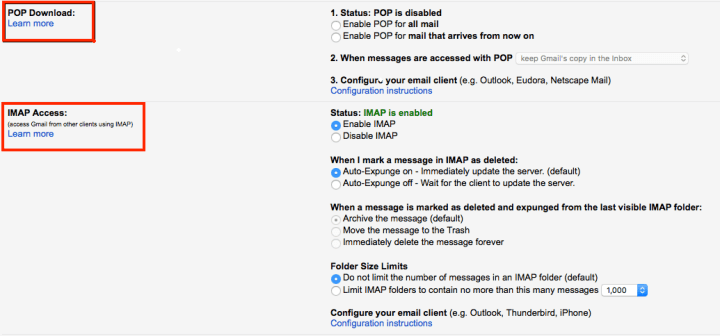
 The Life of a Nerd